Why Your Map Data Lies About Where Customers Actually Find You
It hit me one morning—staring at my map analytics, I realized that the data was wildly off. Customers were coming, but the map said they weren’t. I had trusted my tools, but the numbers weren’t lying—they were misleading me. That frustrating moment pushed me to uncover the truth hidden within my data and showed me how easily it can deceive even the most seasoned local marketers.
The Hidden Gap Between Map Data and Reality
When I first started using map data to track local leads, I figured it was a straightforward way to see where my customers were coming from. But as months went by, I noticed discrepancies. My local ranking reports indicated declines, yet my inbound calls stayed steady. It was as if my data was playing tricks—showing traffic where none existed and missing actual opportunities right under my nose. Turns out, many local businesses are in the same boat, unknowingly missing out on real customer locations due to unreliable data sources.
One day, I stumbled upon research revealing that up to 50% of map data can be inaccurate, especially in fast-changing neighborhoods, new developments, or areas with frequent business shifts (Source). That was a eye-opener for me. No wonder my metrics were skewed.
This realization led me to question everything I thought I knew. Were my tools lying to me? Or was I just trusting them blindly? It’s a common mistake—early on, I made the mistake of assuming that map data is infallible. That mistaken trust kept me from addressing the real issues and cost me potential leads.
But here’s the good news: with a few strategic moves, I found ways to check, validate, and correct my map data—ensuring my reports reflected actual on-the-ground realities. And if you’re tired of chasing phantom leads or misjudging your local presence, you’re in the right place. I’ll guide you through proven methods to uncover and fix these discrepancies, starting right now.
Is Map Data Honestly Worth the Hype?
I used to believe that relying solely on map analytics would give me a complete picture of my local reach. Spoiler: it doesn’t. Early in my journey, I added a new location based purely on map rankings, only to find months later that I was attracting minimal foot traffic there. The mistake? Overestimating what map data truly indicates. This is a trap many fall into—assuming the numbers reflect real customer behavior while missing critical blind spots.
If you’ve experienced similar frustrations, if your map rankings show progress but your actual leads tell a different story, you’re not alone. The key lies in understanding the limitations of your data and using complementary tools to build a complete, accurate picture of your local presence.
Ready to stop guessing and start knowing? Next, we’ll explore how specific map tracking and analytics strategies can reveal the truth behind your data—and put you back in control of your local marketing efforts. Want a quick preview? Check out how a Google Profile Tracker can catch sneaky competitor edits and protect your leads (Learn more here).
Start with Manual Spot Checks to Cross-Verify Data
Begin by picking a handful of key locations in your target area. Visit their Google My Business profiles or perform local searches to compare your map data against real-world info. I once checked my top-performing competitor’s location manually and found their store was temporarily closed, yet my map still showed it as active. This discrepancy cost me leads until I corrected the status using the Google Profile Tracker (learn how a tracker can protect your leads).
Leverage Local Ranking Software for Hidden Gaps
Use local ranking software to identify ranking fluctuations and pinpoint blind spots. For example, I employed this software to analyze my local pack visibility and discovered a shadow ban affecting a specific radius. Once I addressed the issues, my local pack rankings improved noticeably (see how software uncovers radius gaps).
Automate Data Validation with a Map Analytics Suite
Implement a map analytics suite that tracks your key locations regularly. Set up automated reports to surface anomalies like sudden drops or spikes in map rankings. I integrated this and was alerted when a competitor changed their location info, which I quickly corrected, preventing lead leakage. This setup saves hours of manual checks
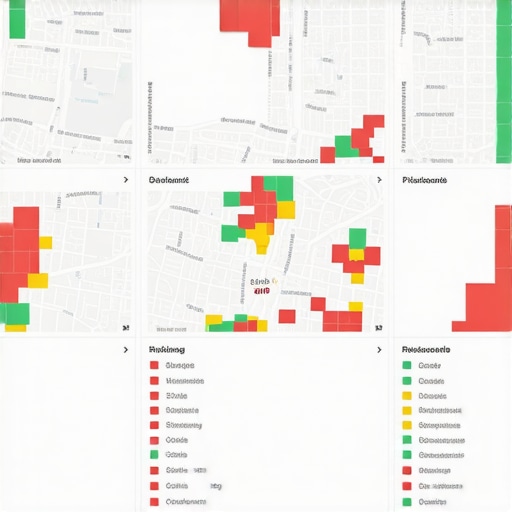
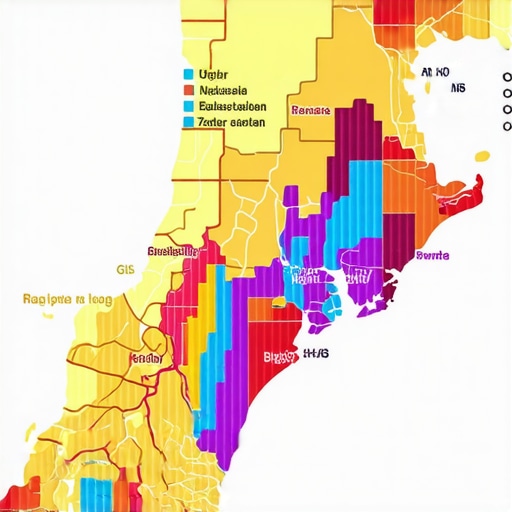
Illustration of a map analytics dashboard showing ranking fluctuations across neighborhoods, highlighting areas requiring attention.
Configure Your Google Profile Tracker for Maximum Defense
Adjust your Google Profile Tracker settings to monitor competitor edits actively. For instance, I activated alerts for suspicious changes and caught a fake review spam attempt. Blocking competitors from editing your info ensures your data stays accurate and trustworthy (learn how to block competitor edits).
Regularly Review and Correct Business Listings
Schedule weekly checks of your business listings across directories. Use automated SEO tools to flag inconsistencies or duplicate entries. I re-verified my listings with this approach and eliminated duplicates, solidifying my local presence. This prevents data fragmentation and preserves your local ranking integrity (discover how neighborhood shifts can cause invisible map issues).
Use Fake Location Detection to Catch False Data
Employ tools that reveal fake or misrepresented locations—sometimes competitors or outdated info pollute your data. I found five fake competitor pins using this technique, which, once removed, gained me a noticeable uptick in local traffic (see how fake pins impact your leads).
Many local marketers believe that investing in a maps analytics suite or an advanced SEO software service guarantees accurate insights, but in my experience, this is a dangerous misconception. The truth is, most practitioners overlook nuanced issues that can distort their entire local strategy. One common myth is that these tools are infallible—yet, even the best algorithms have blind spots. For example, a popular local ranking software may miss radius-specific shadow bans affecting your visibility (see how shadow bans impact local rankings). The real flaw lies in trusting data without validation—many are quick to interpret rankings or map data as gospel, but this can lead to costly mistakes. Advanced practitioners dig deeper, cross-verifying data through manual checks or auxiliary tools like a Google profile tracker to catch edits or spam that could sabotage results. An often-ignored nuance is the impact of fake listings, which can skew your understanding of market share. Regularly auditing your listings and monitoring competitor activity can unveil hidden threats, such as fake competitor pins that drain potential leads (see how fake pins affect local traffic). Another mistake is relying solely on automated SEO tools for audits, which may overlook specific local authority gaps or neighborhood shifts. Incorporating a combination of automated and manual checks ensures your data remains accurate, especially when adjustments in the local landscape happen swiftly. Interestingly, many overlook how ranking fluctuations are affected by outdated or manipulated map data—these are often due to outdated business info or competitor sabotage. Using local ranking software to identify and fix these issues proactively can save you from losing vital leads. To stay ahead, savvy local marketers integrate multiple layers of validation—manual spot checks, real-world visits, and cross-platform audits—creating a holistic view that minimizes blind spots. In essence, the biggest mistake is assuming your data is perfect. Instead, challenge your tools regularly, understand their limitations, and combine automated insights with manual validation. This strategic approach can uncover hidden flaws and unlock the true potential of your local marketing efforts. Want to see these principles in action? Check out how a Google profile tracker can effectively prevent lead leakage (learn more here). Remember, the key is continual validation—your competitors are doing it, and so should you. Have you ever fallen into this trap? Let me know in the comments.
How do I sustain my local ranking efforts over time?
Keeping your maps analytics suite and SEO software running effectively requires a combination of regular maintenance, strategic adjustments, and leveraging the right tools. One critical practice is continuous data validation—set up automated reports with your maps analytics suite that highlight anomalies or drops in rankings (this software fixes map ranking drops). For instance, I use scheduled checks to compare real-world business statuses against my data, ensuring outdated or incorrect info doesn’t skew results.
Investing in a reliable Google Profile Tracker is equally essential. It constantly monitors your profile for suspicious edits or spam, which could sabotage your local visibility (it saves sales by preventing sabotage). I recommend configuring your tracker with custom alerts to get instant notifications on unusual activity—this proactive approach helps you respond swiftly before damage occurs.
Beyond automation, dedicating time for manual spot checks remains a best practice. Visually inspecting your business listings and verifying that nearby competitors haven’t manipulated their profiles sharpens your awareness and helps you identify subtle patterns, like fake reviews or duplicate listings that automated tools might miss. Particularly as Google updates its algorithms, staying ahead involves updating your local ranking software settings (optimization strategies for verification).
Looking ahead, the trend points toward even more integrated and AI-driven tools that can predict fluctuations before they happen. Predictive analytics within your maps suite could alert you to neighborhood changes or potential sabotage—allowing preemptive action rather than reactive fixes. A good example is an automated map auditing feature that flags sudden ranking dips caused by local developments (a suite that uncovers hidden leads).
To stay ahead, I highly recommend implementing an automated map validation process. This involves setting up your maps analytics suite with customized filters that scan for inconsistent business info across multiple platforms and alert you immediately. Over time, such a system can save hours of manual work and prevent costly lead leakage. A recent external guide emphasizes that regular audits combined with automation form the backbone of resilient local SEO (Google’s Places API documentation).
Try integrating a comprehensive automated validation system today. It’s an investment that will reward you with accurate data, better rankings, and sustained local visibility. Remember, in the fast-evolving world of local marketing, proactive maintenance isn’t optional—it’s essential.
The Harder Lessons That Changed My Approach
- I realized early on that over-reliance on automated tools breeds complacency. Manual cross-checks, though time-consuming, revealed critical discrepancies that software missed, teaching me the importance of balancing automation with personal validation.
- Trusting data at face value can lead to costly missteps. Once I started questioning the assumptions behind my map rankings, I uncovered sabotage attempts and outdated listings that skewed my perceptions—reminding me that vigilance is key.
- Ignoring neighborhood shifts and local developments is a mistake. Staying proactive by monitoring these changes helped me anticipate ranking dips before they happened, transforming reactive fixes into strategic advantages.
My Top Picks for Navigating Map Data Challenges
- Google Profile Tracker: An indispensable tool that keeps tabs on unauthorized edits and spam—protecting the integrity of your business info; see how it can save you from lead leaks here.
- Local Ranking Software: A powerful ally for identifying radius-specific blind spots and shadow bans; learn how it uncovered hidden gaps in my local reach here.
- Automated Map Analytics Suite: Automated reports that surface anomalies enable timely corrections—saving hours and preventing revenue loss; see how this setup defends your local presence here.
- Fake Location Detection Tools: They uncover fake competitor pins and outdated listings, vital for maintaining an honest local market; find out how I reclaimed more leads here.