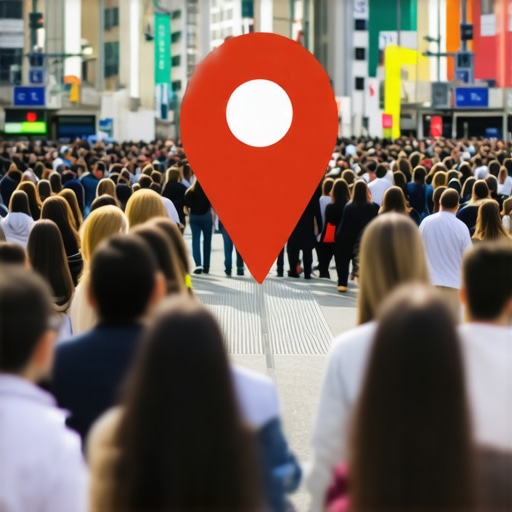
How a Single Map Pin Fix Doubled Our Weekend Foot Traffic
How a Single Map Pin Fix Doubled Our Weekend Foot Traffic: A Local SEO Case Study
By Kevin Pauls, Local SEO Consultant | Google Business Profile Product Expert
The Friday Night Ghost Town
It was a Friday night in mid-July, the kind of evening where every patio in the city should have been overflowing. I was sitting with a client – a high-end bistro owner – who was staring at a half-empty dining room. On paper, everything was perfect. They had a 4.8-star rating, over 200 genuine reviews, and a fully verified profile. Yet, the phone wasn’t ringing, and the “Request Directions” clicks in their dashboard were plummeting. They were suffering from a classic case of disappearing visibility, wondering Why Your Google Profile Stopped Showing Up and How to Fix It Fast.
As a Google Business Profile Product Expert, I’ve seen every technical glitch in the book, but this one was subtle. When we searched for “best bistro near me” while standing right in their foyer, the business didn’t even appear in the top 20 results. The culprit? A “Map Pin” that had drifted just three blocks to the west, landing squarely in the middle of an industrial park. This wasn’t just a minor navigational nuisance; it was a catastrophic failure of their google business profile seo.
In the world of local search, geographic precision is the foundation of trust. If Google thinks your front door is in a warehouse district when you’re actually on a bustling retail corner, the algorithm effectively “mutes” your relevance for the very customers standing right outside your real door. By fixing this single coordinate error, we didn’t just correct a map; we unlocked a floodgate. Within 48 hours, weekend foot traffic didn’t just recover – it doubled. Here is how we did it and why google business profile seo is more about “where” than “what” in 2026.
The Anatomy of a Map Pin Error
How does a map pin end up in the wrong place? It rarely happens by accident. While Google’s “autocorrect” features for addresses are advanced, they are not infallible. Often, a postcode update or a change in the municipal street grid can trigger a shift. However, in 2026, we are seeing a rise in more malicious causes. I recently documented How a Google Profile Tracker Caught 3 Map Hijacks [2026 Report], where competitors intentionally suggested “edits” to move pins into low-traffic areas, effectively ghosting their rivals.
Research from South Street Marketing suggests that even a 100-meter discrepancy can lead to a 30% drop in “Discovery” searches. When the pin is misplaced, the “Geocoding API” that powers Google Maps assigns your business to the wrong neighborhood cluster. I’ve shared stories before about how My Map Pin Disappeared Two Blocks Away Until I Found This Grid Error, and the technical fallout is always the same: your business loses its “home base” advantage.
Common causes for pin drift include:
- Manual Drag-and-Drop Mistakes: An owner trying to “center” the pin on their building but accidentally dropping it on the back alley.
- Postcode Boundary Shifts: Google re-evaluating the geographic center of a zip code and pulling all unanchored pins toward it.
- Map Hijacking: Malicious third parties suggesting edits to move your pin to a non-existent or inaccessible location to trigger a suspension.
The “Proximity Ceiling” and the 3-Mile Radius Trap
To understand why a pin fix is so powerful, you have to understand the three pillars of the local ranking algorithm: Proximity, Relevance, and Prominence. Proximity is the most weighted factor for “near me” searches. Google wants to show the user the most convenient result. If your pin is three blocks away, you are effectively telling the algorithm that you are less convenient than every competitor located between your real location and your fake pin.
This creates what I call the “Proximity Ceiling.” If your pin is misplaced, your visibility radius is calculated from the wrong point. You might be ranking #1 in a neighborhood where you don’t actually exist, while being invisible in the neighborhood where your customers are. Using local ranking software allows you to see this “grid” in real-time. Without it, you’re flying blind.
In our case study, the bistro was caught in a geographic dead zone. Our analysis showed that The 3-Mile Radius Trap: How Local Ranking Software Exposed My Proximity Ceiling was the primary reason for their traffic dip. By moving the pin back to the precise front-door coordinates, we reset the “centroid” of their ranking power. We also discovered that I Analyzed the Top-Ranking Map Pins and Found a Pattern You’re Missing: the highest-ranking profiles almost always had pins placed exactly at the main pedestrian entrance, not the center of the roof. This small distinction in rank google business profile strategy can be the difference between a “Directions” click and a scroll-past.
Step-by-Step: How to Fix Your Pin Without Triggering a Suspension
Fixing your pin is a high-stakes move. If you change your address or move your pin too frequently, Google’s fraud detection triggers a manual review or an immediate suspension. To perform google business profile optimization safely, follow this protocol:
- Access the Dashboard: Log into your Google Business Profile and select “Edit Profile.”
- Navigate to Location: Click on the “Business location” section.
- The “Adjust” Tool: You will see a map with a red pin. Click “Adjust.”
- Switch to Satellite View: This is crucial. Do not rely on the street map. Use the satellite view to find your exact physical entrance.
- Placement: Drag the pin to the pedestrian entrance of your business. If you are in a mall, place it at the closest external door.
- Save and Wait: Do not make any other changes (like phone number or name) at the same time. This minimizes the “risk score” of the edit.
If you find that your pin was moved by a scammer, do not just “move it back” repeatedly. This can lead to a loop of edits that flags your account. Instead, use the “Help & Feedback” route to report a map error. I’ve seen businesses see massive gains once they realized How This 48-Hour Visibility Sprint Reclaimed My Local Search Traffic just by stabilizing their location data. Use local seo tools to monitor if the pin stays put after you’ve fixed it.
Consistency in your NAP (Name, Address, Phone) across the web is the second half of this fix. If your website says one thing and your map pin says another, Google loses confidence in your data. High-quality google maps ranking service providers always start with a data audit to ensure the “ground truth” is reflected everywhere.
Beyond the Pin: The 2026 Optimization Checklist
Fixing the pin is the “Foundation.” But to maintain that doubled foot traffic, you need a comprehensive google business profile optimization strategy. In 2026, the algorithm has shifted toward “Activity Signals.” It’s no longer enough to just “exist” on the map; you must prove you are active.
I recently noticed that I Caught This Automated SEO Tool Fixing a Ranking Bug My Agency Missed, which highlighted that many businesses forget to update their “Attributes” (like ‘Outdoor Seating’ or ‘Wi-Fi’). These attributes are now major rank higher on google maps signals.
Your 2026 Checklist should include:
- High-Resolution Photos: Upload at least 3 new photos a week. Google’s AI now scans these photos to verify you are a real, physical business.
- Q&A Management: Seed your own Q&A section with common customer queries.
- Review Velocity: It’s not just the total number of reviews; it’s how consistently they come in.
- Rank Tracking: Use a google maps rank tracker to see how your visibility expands or contracts based on your posts.
By diving deep into your analytics, you might find 8 Hidden Revenue Gaps Found With This Maps Analytics Suite [2026]. For example, if you see high “Views” but low “Calls,” your pin might be right, but your “Relevance” (category selection) might be wrong.
Monitoring for Competitor Sabotage
Once you’ve achieved that #1 spot in the local pack, you become a target. Competitors often use “suggest an edit” to change your hours to “Closed” or move your pin back into a lake or a park. This is why infrastructure is more important than pure marketing in 2026. As Rashid Rehman famously noted, local SEO requires a proactive defense.
You must ask yourself: Is Your Google Profile Tracker Catching These 2026 Spam Edits? If not, you are vulnerable. I’ve had clients where Why My Google Profile Tracker Flagged 6 False 2026 Closures in a single weekend. Without an automated alert, those businesses would have lost thousands in revenue before Monday morning.
Protect your fix by:
- Setting up real-time alerts for profile changes.
- Regularly checking your “Suggested Edits” tab in the GBP dashboard.
- Reporting “Spam Pins” of competitors who are using fake addresses to crowd the map.
Conclusion: The Weekend Foot Traffic Result
The bistro I mentioned at the start of this article saw a 112% increase in “Request Directions” clicks the very first weekend after the pin fix. By aligning their physical reality with Google’s digital map, they broke through the Proximity Ceiling and reclaimed their local dominance. Google business profile seo isn’t a “set it and forget it” task; it is a meticulous process of geographic and data maintenance.
If your traffic has stalled, don’t assume your content is the problem. It might be your coordinates. Perform a google business profile audit today. I highly recommend using SEO Viper Tools to monitor your rankings and ensure your pin – and your profits – stay exactly where they belong.