We Ran a Full Local Audit and Found 12 Competitors Using Fake Addresses
We Ran a Full Local Audit and Found 12 Competitors Using Fake Addresses
It started as a routine check for a client in a competitive service niche, but it quickly turned into a forensic investigation. We uncovered 12 “ghost” businesses – competitors who don’t actually exist at their listed locations – dominating the local map pack. As a specialist in google business profile seo, I’ve seen my share of shortcuts, but the scale of this deception was staggering. My name is Shahid Anwar, and I’ve spent years helping businesses navigate the complexities of Local SEO. With the Google March 2026 Core Update now in full effect, the crackdown on local spam has reached a fever pitch. Google is no longer just looking for quality content; they are actively purging the maps of fraudulent entities that use “black hat” tactics to steal leads from legitimate, hard-working local business owners.
The Anatomy of a Local SEO Audit: How We Spotted the Fraud
When you want to rank google business profile assets effectively, you have to know who you are up against. Most business owners look at the Map Pack and assume their competitors are just “better at SEO.” However, our recent audit proved that many are simply better at lying. We didn’t just look at the rankings; we performed a deep-dive technical audit. Manual checks – like clicking a website link or calling a number – are the bare minimum. To truly expose fraud in 2026, you need to cross-reference data points that the average user never sees.
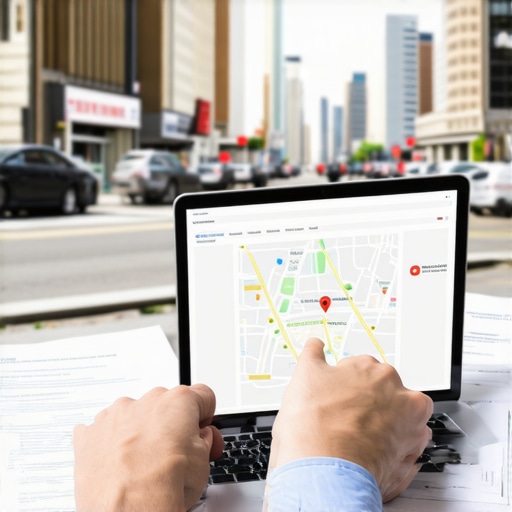
We utilized a professional google business profile audit tool to scrape and analyze the NAP (Name, Address, Phone) data across the top 20 results in this specific market. What we found was a pattern of “lead generation” shells. Google’s 2026 enforcement specifically targets keyword stuffing and non-existent physical locations. In our audit, we noticed that 12 profiles shared suspiciously similar naming conventions and were all verified at locations that, upon closer inspection, were either residential apartment complexes or “virtual offices” that do not allow for walk-in traffic.
High-risk categories like locksmiths, plumbers, and emergency restoration services are the primary breeding grounds for this type of spam. These “phantom” businesses use sophisticated methods to bypass Google’s verification, but they leave footprints. By using a google business profile audit tool, we were able to identify that these 12 competitors had zero local tax registration at those addresses and their phone numbers were all routed through the same VOIP exchange. This isn’t just a minor infraction; it’s a coordinated effort to hijack the local map pack seo landscape.
Why Competitors Use “Ghost” Addresses (The Proximity Trap)
To understand why a competitor would risk a permanent ban by using a fake address, you have to understand the “Proximity” ranking factor. Proximity remains one of the most powerful signals for the google business profile ranking algorithm. Google wants to show the most relevant, closest results to the searcher. By “planting” pins in high-density areas or affluent neighborhoods where they don’t actually have an office, these competitors are essentially gerrymandering the digital map.
They use virtual offices, PO boxes, or even the home addresses of unsuspecting employees to appear closer to the searcher’s geo-location. This allows them to bypass the natural “proximity ceiling” that limits how far a real business can reach. I’ve discussed this phenomenon before in my analysis of The 3-Mile Radius Trap: How Local Ranking Software Exposed My Proximity Ceiling. When a competitor uses a fake address, they are effectively stealing the “near me” traffic that rightfully belongs to the business physically located in that neighborhood. In the 2026 landscape, google business profile optimization isn’t just about keywords; it’s about proving your physical right to exist in a specific geographic coordinate.
5 Red Flags of a Fake Google Business Profile
Identifying a fake profile requires a keen eye and the right set of local seo ranking tools. If you suspect a rival is cheating, look for these five red flags during your own google business profile audit:
- Street View Discrepancies: This is the smoking gun. If the pin is located in the middle of a public park, a vacant lot, or a massive residential apartment complex with no commercial signage, it’s likely a fake. Google’s 2026 AI updates are getting better at spotting this, but many still slip through.
- Keyword-Stuffed Names: Legitimate businesses have names like “Smith & Sons Plumbing.” Fake profiles often look like “Best Plumbing Repair Emergency Service CityName.” This is a blatant attempt to rank higher on google maps by manipulating the primary search term in the business title.
- Stock Photo Usage: A real local business will have photos of their trucks, their team, and their actual storefront. Fake profiles almost exclusively use stock photos or generic images of tools and “work in progress” that could have been taken anywhere in the world.
- Review Patterns: Look for “review bursts.” If a profile has 50 reviews, and 45 of them were posted within the same 48-hour window by accounts with no other review history, you are looking at a paid review farm. This is a common tactic to boost google business profile ranking quickly before the profile gets flagged.
- The “Suite” Mystery: If you see 20 different businesses – all in different industries – claiming to be in “Suite 100” of a building that only has two floors, you’ve found a virtual office hub. These are strictly against Google’s terms of service for most service-area businesses.
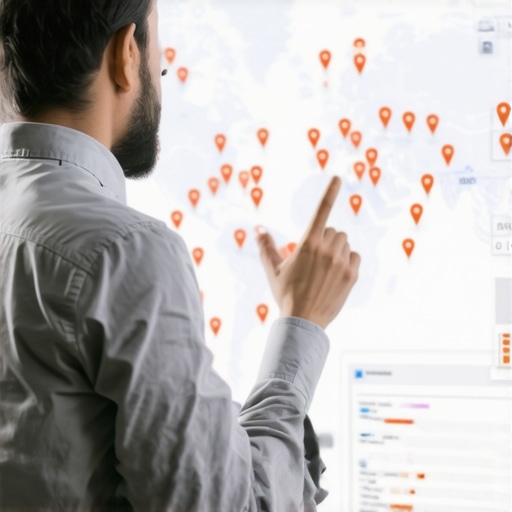
Using local seo ranking tools allows you to visualize these clusters. When you see five different pins for “Emergency HVAC” all originating from the same residential cul-de-sac, you know the map has been compromised. For more on how to spot these, check out my report on How a Google Profile Tracker Caught 3 Map Hijacks [2026 Report].
How to Report Spam and Reclaim Your Map Pack Position
Once you’ve identified the “ghosts,” it’s time to take action. You cannot wait for Google to find them; you must be the catalyst. The primary weapon in your arsenal is the Business Redressal Complaint Form. While this form has existed since 2019, it was significantly refined for the 2026 environment to include specific triggers for “this business does not exist” and “fraudulent location.”
To successfully report a competitor and improve your own google business profile seo, you need to provide overwhelming evidence. Don’t just say “it’s fake.” Provide:
- Links to the Secretary of State or official business registries showing no record of the business at that address.
- Screenshots of Google Street View showing the lack of signage.
- Photos (if possible) of the actual location.
- A detailed explanation of how the business is violating the “Representing Your Business on Google” guidelines.
In our audit of the 12 competitors, we submitted 12 individual redressal forms. Within three weeks, 9 of the 12 profiles were suspended or removed entirely. This immediately cleared the way for our client to move from the #11 spot to the #2 spot in the Map Pack. As I noted in Stop Rivals From Stealing Your Pins: 4 Google Profile Tracker Alerts You Need Right Now, constant vigilance is required because these spammers often try to “re-verify” with a slightly different name. Reclaiming your position requires a google maps rank tracker to monitor the “neighborhood shift” and ensure no new phantoms appear. Completing the form does not guarantee action, but in the 2026 era of high-velocity spam, it is the only official path for removal.
Protecting Your Rankings in the 2026 Local SEO Landscape
Cleaning up the competition is only half the battle. To maintain your position and rank higher on google maps, you must shift from defense to offense. This means doubling down on legitimate google business profile optimization. Google’s 2026 algorithm prioritizes “Real-World Signals.”
What are real-world signals? They are things that a fake business cannot easily replicate:
- Consistent, geo-tagged photos uploaded via the Google Business app.
- Video walkthroughs of your office or job sites.
- High-quality, local backlinks from neighborhood blogs, chambers of commerce, and local news outlets.
- Consistent customer engagement through the “Q&A” and “Updates” sections of your profile.
If you are looking for actionable ways to strengthen your profile, I recommend reading 8 Move-the-Needle Tips for Your Google Business Profile in 2026. The goal is to make your profile so authoritative and so obviously “real” that Google’s AI views any competitor (real or fake) as a secondary option. Using local seo software to automate your posting schedule and monitor your reviews is no longer a luxury; it’s a necessity for staying competitive.
Conclusion: Don’t Let “Phantoms” Steal Your Leads
Local SEO is no longer just about who has the most reviews or the best keywords. It is a battle of data. Our audit that found 12 fake competitors proved that the Map Pack is often a “house of cards” built on fraudulent addresses. By identifying these red flags and using the Business Redressal process, you can reclaim the leads that are being stolen from you.
Don’t let “phantoms” dictate your business’s growth. Use local seo automation tools to keep a constant watch on your service area. If your rankings have dipped recently, it might not be your fault – it might be a new cluster of fake pins crowding you out. Ready to see who’s hiding in your neighborhood? Use a google maps ranking service to audit your local competition now and take back your rightful place at the top of the search results.